
Your school, in a few words
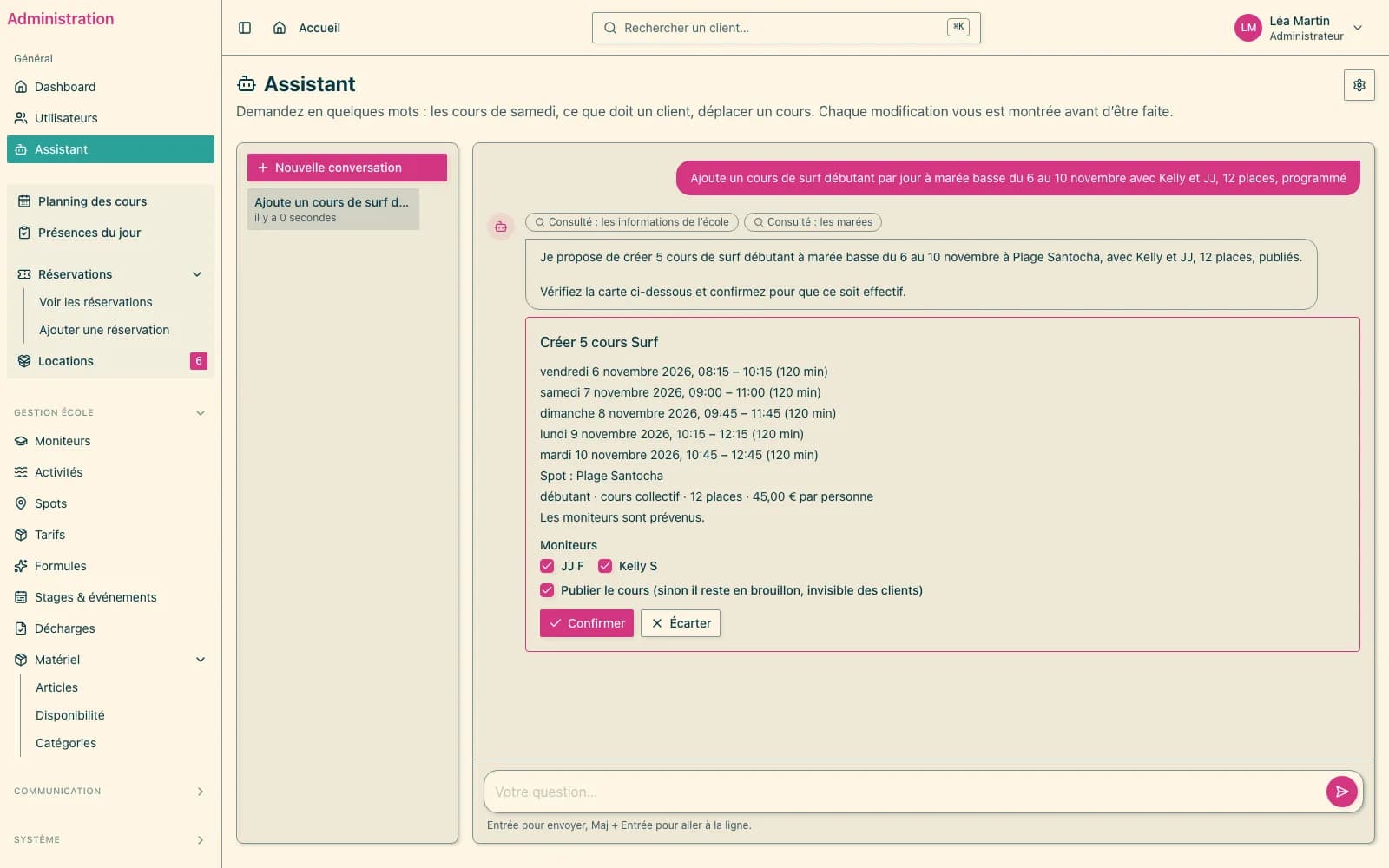
What took three screens takes one sentence — and nothing changes without your click.
In short
- Ask a question in plain language — “which courses on Saturday?”, “who hasn't paid for tomorrow's course?” — and the assistant answers from the school's data.
- Ask for a change — move a course, confirm sales, mark attendance, create a whole series — and the assistant prepares it on a card you review before confirming.
- It runs on Mistral AI, a French company: your school uses its own key and pays for its usage, less than one cent per exchange on average.
Questions, answered from your data
The assistant reads the schedule, bookings, client records, pending sales and tides, and says what it looked up. It does not guess: when something is missing, it asks.
- “Which courses on Saturday?” — the list, with the seats left
- “Who hasn't paid for tomorrow's 10 am course?”
- “Which sales are waiting for my confirmation?”
- “The tides next week?”
Changes, always confirmed
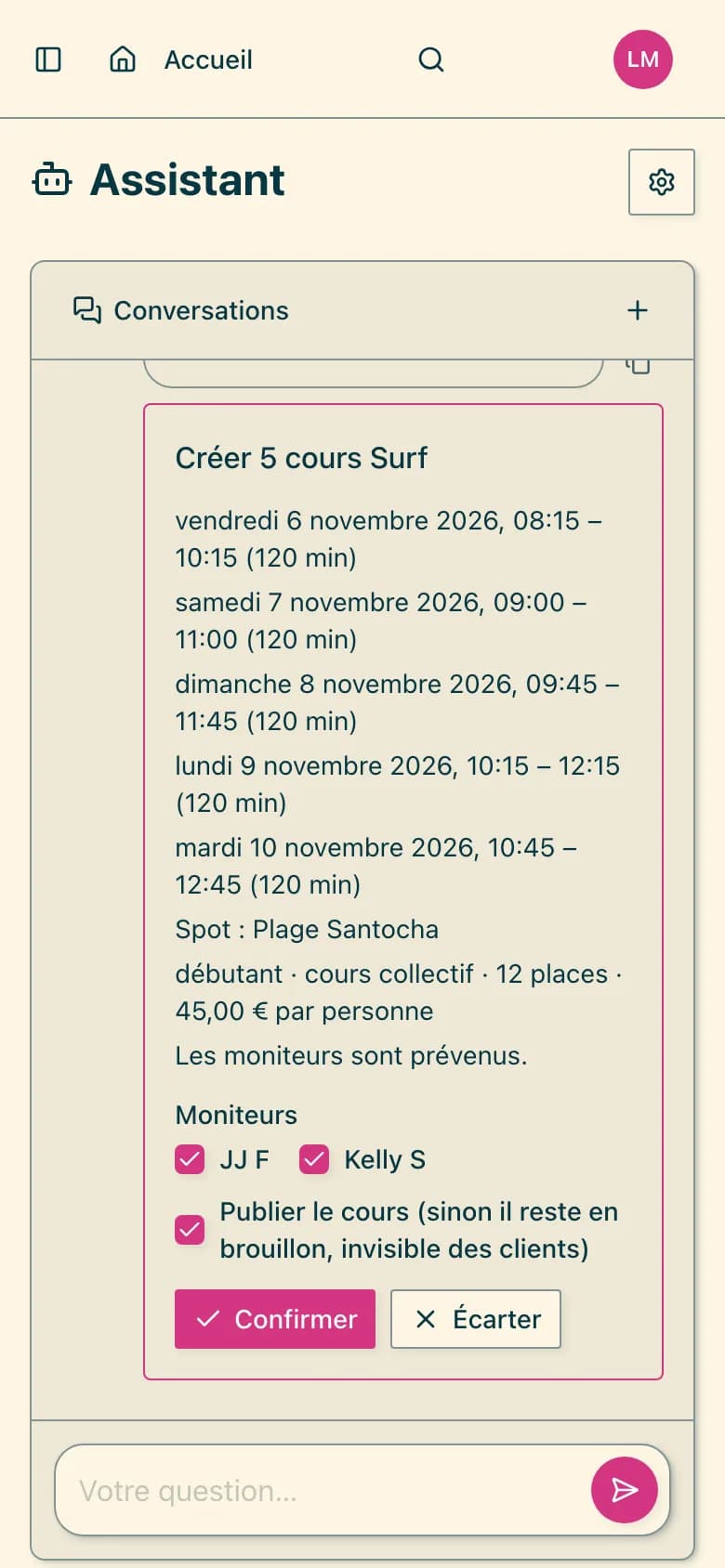
Every change request arrives on a card: what will change, what to check — a course already over, an instructor busy that day, a course that would end after dark — and the choices that are yours, such as the instructors, to tick. Nothing is saved before you click “Confirm”, and every confirmation is logged.
- Move or cancel a course, change its instructors
- Cancel, confirm, move or create bookings, at your price grid
- Mark attendance
- Create a client, update their contact details
- Create a course or a series — even “at low tide”, with a time for each day
Your key, your cap
The option is turned on for your school; a step-by-step guide then helps you create your Mistral account, key and spending cap. Usage is paid directly to Mistral, less than one cent per exchange on average. The assistant only sees what it needs to answer: never your clients' medical information.
At a glance
- Price
- €7/month, plus Mistral usage
- Languages
- the app's five
- Module
- turned on school by school
Frequently asked
Can the assistant change anything without me?
No. It proposes; the change is only made when you click “Confirm”, on a card that says exactly what will change.
How much does the AI usage cost?
It depends on use: less than one cent per exchange on average. You pay Mistral, with your school's key, under a spending cap you set.
Can it refund a client?
No. Refunds remain the school's decision, from the client's record; the assistant never turns a refund request into a cancellation.
See also
Want to see it for real?
Your school is ready within 24 business hours.
Create my schoolTry it for 30 days · money-back guaranteeCancel within 30 days and your first payment is refunded in full. After that, a 6-month commitment at the launch price.