
This week's schedule, ready to post
No more cropped screenshots or a visual rebuilt by hand every Monday.
In short
- The school picks a period — this week, next week, this weekend or custom dates — and ticks the lessons to show.
- The image downloads as a PNG: square post 1080 × 1080, portrait post 1080 × 1350 or story 1080 × 1920.
- The school's logo sits at the top, lessons are grouped by day with time and level, and the preview is exactly the image downloaded.
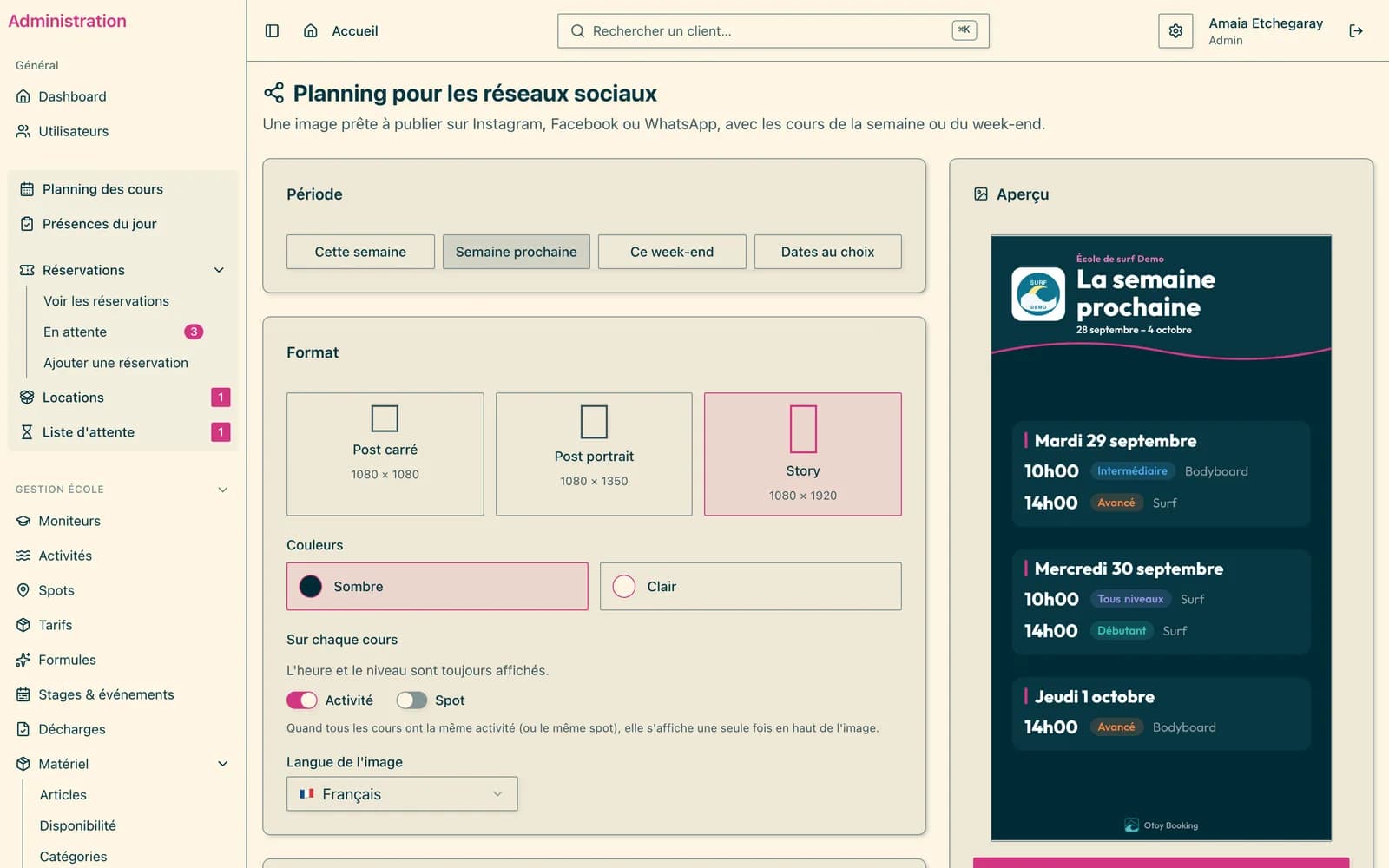
Built from the lessons already scheduled
The image is not filled in by hand: it reads the school's schedule. Private lessons and full lessons stay listed, unticked with the reason, so the school decides whether to show them.
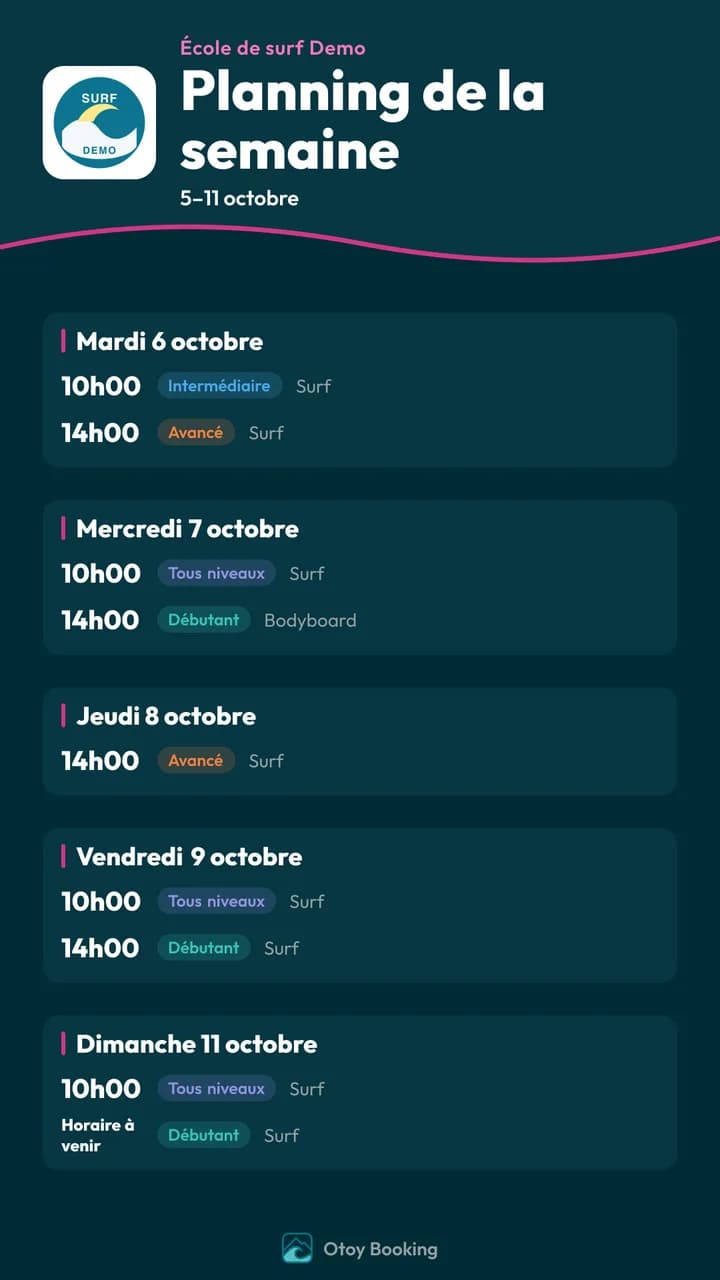
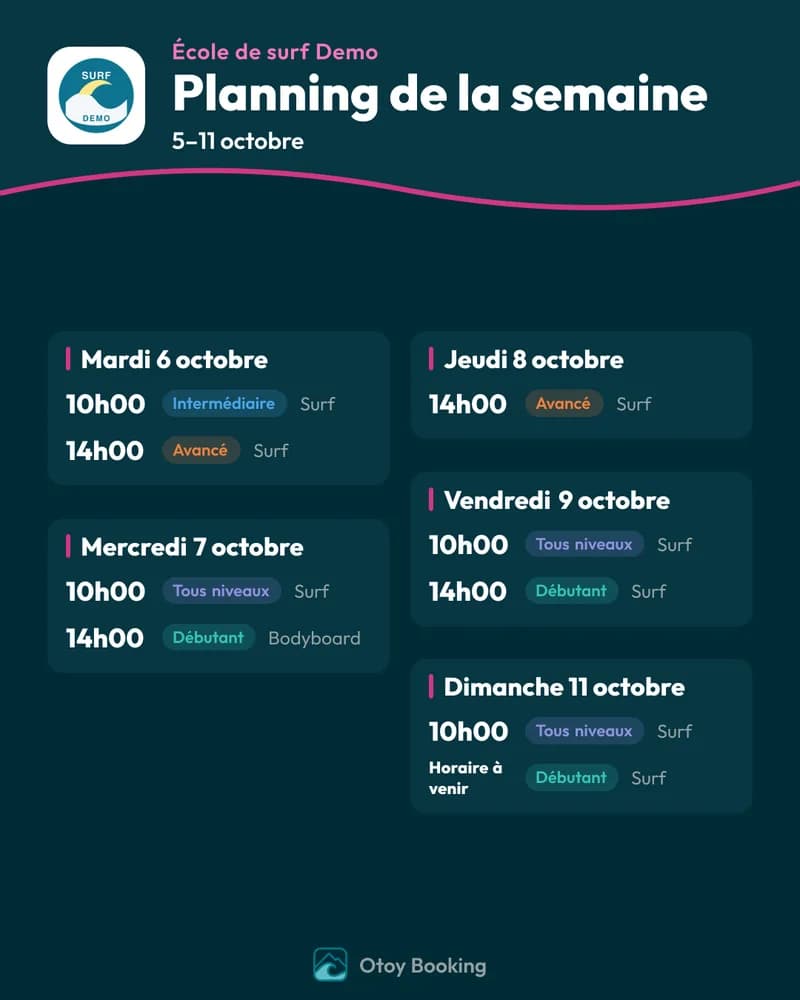
Set once, found again next week
- Dark or light theme
- Time and level always shown; activity and spot optional
- A value shared by every lesson moves up into the header
- The image language, among the application's five
- A warning when the image gets too dense, with the fix: fewer lessons, or the story format
The chosen format, language and details are remembered on the computer: the next Monday, all that is left is to pick the period and download.
At a glance
- Formats
- square post, portrait post, story
- Period
- up to 14 days
- Module
- enabled school by school
Frequently asked
Is the image posted automatically?
No. The school downloads the PNG and posts it itself, on the network and at the time it chooses.
Do camps appear on the image?
No, the image shows regular lessons. The sessions of a fixed-date camp are left out: they are sold as a block, not one by one.
See also
Want to see it for real?
Your school is ready within 24 business hours.
Create my schoolTry it for 30 days · money-back guaranteeCancel within 30 days and your first payment is refunded in full. After that, a 6-month commitment at the launch price.